
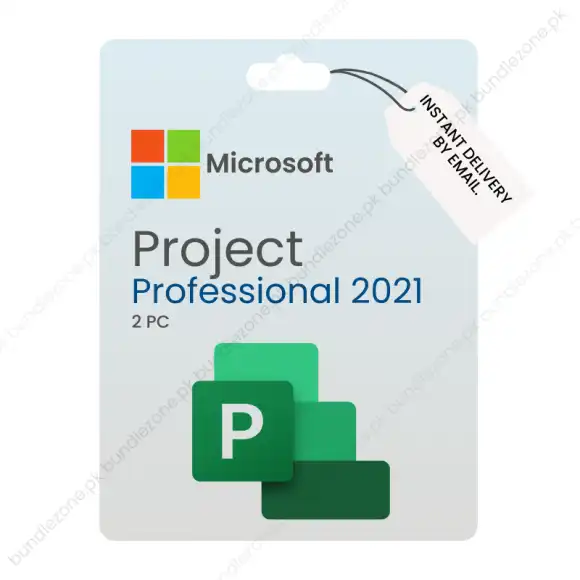


Microsoft Project Professional 2021
Project management needs the appropriate tools, and this professional version of Microsoft Project is aimed at providing businesses with a clear road to success. Need to coordinate complicated projects or manage smaller projects in groups, this software will deliver all you need to be organized, meet deadlines, and maximize productivity.
This version of Project enables teams and organizations to pursue their goals with confidence, as it comes with advanced scheduling facilities, an intuitive reporting mechanism, and integration with Microsoft tools.
Why Choose This Version?
It is trusted to simplify business processes and promote cooperation in businesses worldwide. The following are the reasons why this solution is favored by professionals:
- Strong Scheduling Software – Develop comprehensive plans of each project, allocate tasks, and place definite deadlines.
- Resource Management – Trace the work of the teams, monitor their progress, and make sure that the resources are used efficiently.
- Collaboration Features – Share documents, update, and maintain the stakeholders in real-time.
- Personalized Reporting – Build professional reports which showcase progress, costs, and performance indicators.
- Integration with Microsoft 365 – Work with programs such as Teams, SharePoint, and Excel.
Key Benefits for Businesses
- Boost Productivity – Teams use an easy-to-use interface, focusing on delivering results instead of wasting time on training.
- Reduce Risks – Task assignment and progress tracking minimize mistakes and delays.
- Control of Costs – Track budgets, compare budgeted vs actual costs, and maintain projects within financial limits.
- Scalability – Adaptable for small businesses and large enterprises depending on project complexity and size.
Price and Value
The Project Professional 2021 price is quickly recouped when the business is concerned. It is not only a project tracker software, but also a full package that helps save time, money, and increase efficiency. The powerful features and long-term value make it a cost-effective option compared to other project management environments.
How to Activate Your Key
You can be a sure holder of an authentic product after buying an official Microsoft Project key. Activation steps:
- Install the software on your machine.
- During setup, type in your unique key.
- Get the complete range of features immediately.
This simple process ensures your copy is verified, safe, and ready for professional use.
Who Should Use It?
- Project Managers requiring sophisticated scheduling and reporting tools.
- Business Leaders needing accurate performance insights.
- Teams and Organizations aiming to work efficiently.
- Consultants and Contractors managing several clients or assignments.
Final Thoughts
The release of Microsoft Project is not merely software but a business strategy to help companies complete projects on time and within budget. Its high-tech features, clean design, and seamless integration empower teams to become more efficient and deliver consistent results.
Key Activation Validity
This Project Professional 2021 Key must be activated within 7 days of purchase. Unused keys expire after this period.



Mubbasshir –
Shared product as communicated. Good service
MS –
Good Experience. They delivered as promised.